Warranty Registration
Heat Mat Warranty Registration
Simple ways to protect your underfloor heating systems
Registering your installation activates your warranty keeping your details on record so our technical team can help quickly if you ever need support.
Choose the registration method that suits you
You can register your warranty in the Heat Mat Installer App, or by completing a simple online form. Both options ensure your products are fully covered and your details are stored securely.
Option 1: Register in the Heat Mat App
Ideal for installers on site. Log in to the Heat Mat Installer App, select Warranty registration, and enter the details of your installation.
- Store all installations in one place
- Access guides and technical support tools
If you have not installed the app yet, you can download it free of charge:
 Scan for iPhone/iPad
 Scan for Android
Option 2: Register using our online form
If you do not use a smartphone, you can register your warranty from any computer, laptop or tablet using our secure online form.
The form takes just a few minutes to complete and covers both underfloor heating and mirror demister products.
Simply call us on 01444 247020 or email us at tech@heatmat.co.uk and we will provide the secure link or complete the registration on the phone.
What you will need to hand
To complete your warranty registration, please have the following information available:
- Product type and model
- Batch or serial number from the label
- Installation address and contact details
- Installer’s name and company (if applicable)
- Date of installation
Keeping this information accurate helps us to provide the fastest possible support if you ever need assistance in the future.
After your registration is complete
Once your warranty has been submitted, you will receive a full confirmation package. These documents are important, so please keep them somewhere safe. If you registered using the Heat Mat Installer App, everything will also be stored securely inside the app for future reference.
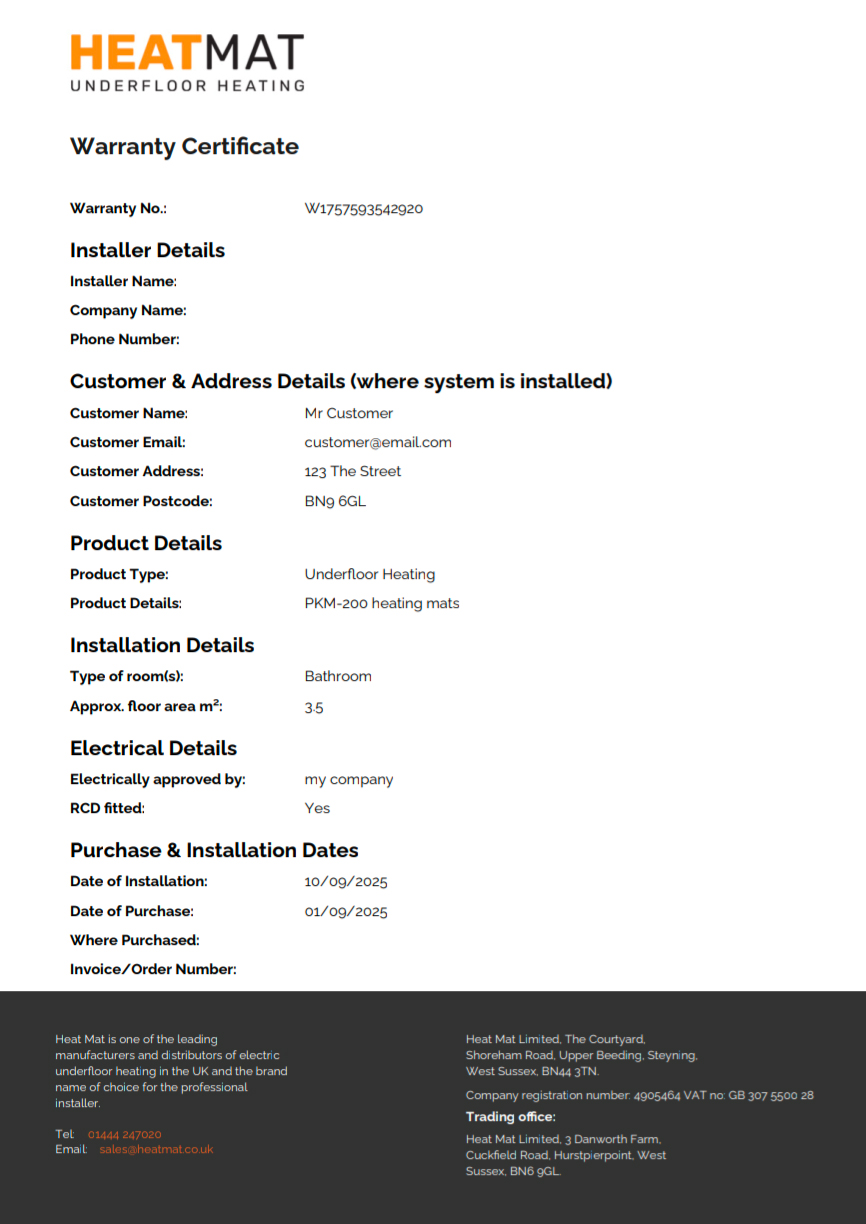
Warranty Certificate (PDF)
A personalised certificate showing your customer details, product information, installation date, and warranty reference number.
Lifetime Warranty Information
A full breakdown of your warranty terms, conditions, and coverage periods. You will receive this automatically alongside your certificate.

Confirmation Email
A confirmation email is sent immediately, including your warranty number and copies of all documents attached as PDF files.
Saved in the Heat Mat App
If you registered through the app, your certificate and warranty details are automatically stored inside the Heat Mat Installer App. You can retrieve them at any time from the Warranties section.
Need to register another Heat Mat warranty?
Choose the method that suits you best – use the Heat Mat Installer App or register online by contacting us for a secure link.